



Android Phone Lagging: How to Fix It Permanently (Complete Guide)
By Minal Hossan
 By Minal HossanPublished on February 24, 2026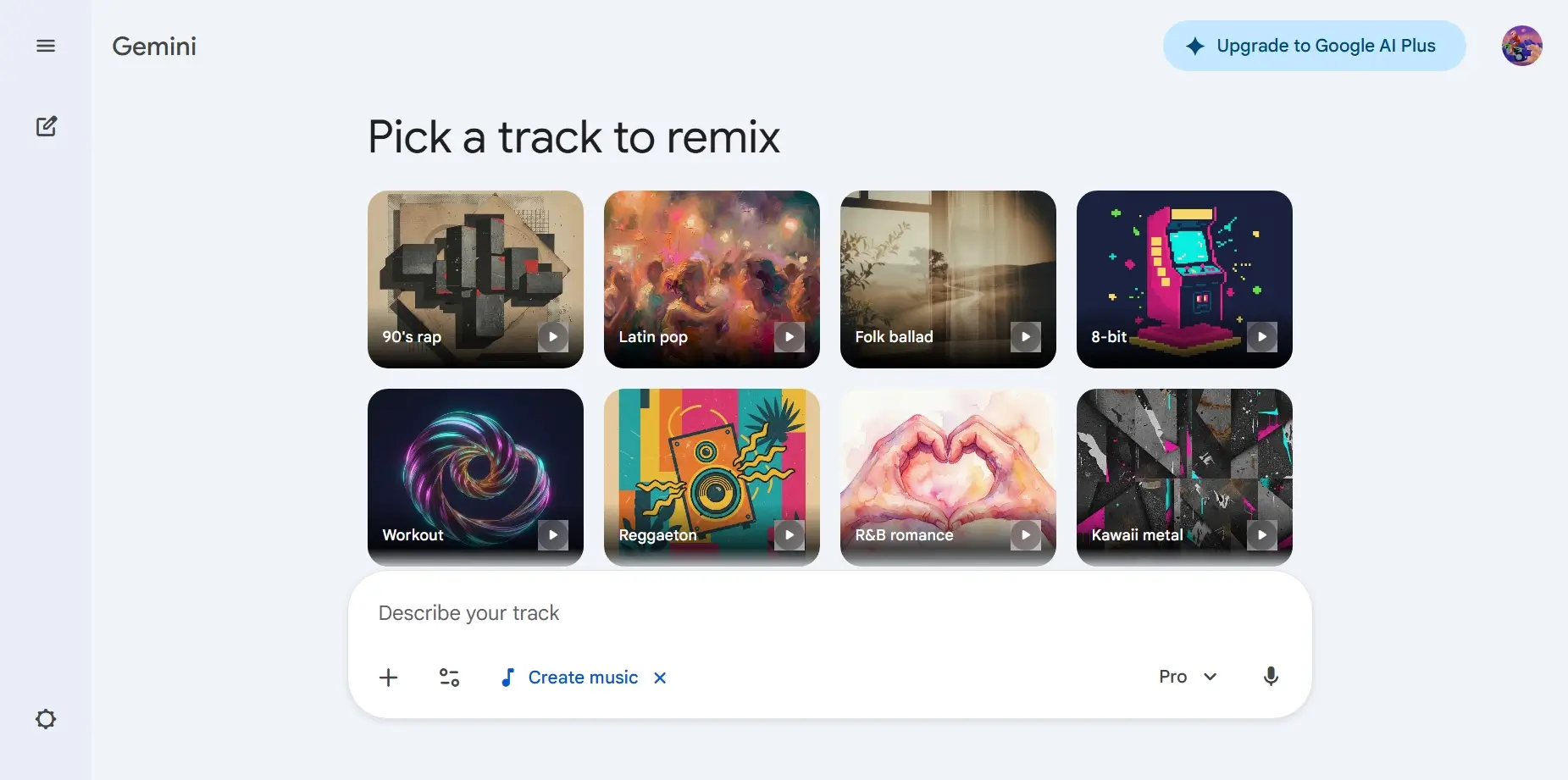
Google DeepMind’s Lyria 3 is revolutionizing how we approach creativity in music. With its powerful generative capabilities, this AI model allows users to create original 30-second tracks using simple prompts, whether they be text, images, or even videos. Whether you’re a musician, a content creator, or simply someone who enjoys experimenting with sound, Lyria 3 offers a unique way to bring your ideas to life. This guide walks you through how to get the most out of Lyria 3’s features and provide creative music solutions in minutes.
One of the easiest ways to generate music with Lyria 3 is through text-based prompts. You can input a short description, and the AI will generate a fully-fledged music track based on your request.
For example, you could write:
“Create a track about my favorite meal my mom used to make. It was made of rice, plantains, and beans. Use an Afrobeats vibe, and the singer should sound West African.”
Lyria 3 not only interprets the essence of the text but also infuses the generated track with the genre, tone, and nuances you specify. From nostalgic memories to inside jokes, the possibilities are endless. You can create personalized tracks like:
With Lyria, music creation is just a text prompt away.
In addition to text prompts, Lyria 3 can also generate music based on uploaded images or videos. This feature allows you to create music that reflects the visual atmosphere or mood conveyed in your photos or videos.
Imagine uploading an image of your dog relaxing in the park or a candid shot from a vacation in the mountains. Lyria will analyze the visual elements—the environment, lighting, objects, and even the subject’s emotions—and generate a track that complements the scene. For example, a relaxed beach photo might inspire a soft acoustic track with the sound of gentle waves in the background, while an energetic snapshot from a music festival could lead to an upbeat electronic track.
This level of personalization offers endless opportunities for creators, allowing them to make soundtracks that match their visuals perfectly, whether for YouTube, social media, or personal projects.
When you’re unsure where to start, you can always define the genre and era of the music you want. Lyria 3 can create a vast range of genres, from modern pop to classical orchestras, and it can even blend different styles within a single track.
For example, you can opt for a catchy K-pop tune mixed with the soulful elements of Motown, or maybe you want to hear how a classical violin piece sounds when paired with funk rhythms. The system is versatile enough to produce hybrid tracks that cross genre boundaries.
One of Lyria 3‘s strengths is the ability to further personalize your track by specifying instruments, song dynamics, and vocals. This allows you to fine-tune the mood and feel of your track.
These detailed controls give you unparalleled flexibility in shaping your track, whether for personal enjoyment or professional projects.
Lyria 3 offers two options when it comes to lyrics. You can either write your own lyrics or have Lyria generate them for you based on a clear theme.
Lyria’s ability to generate lyrics based on your desired theme means you can quickly produce music for any occasion, from a simple birthday greeting to a heartfelt tribute.
Once you’ve created your track, Lyria 3 makes it simple to share your work with others. You can easily download your track as an MP3 or MP4 file, then share it on social media or send it directly to friends and family.
Whether you’re creating music for an advertisement, background music for videos, or just for fun, the sharing process is seamless. The versatility of the tracks generated, combined with easy sharing features, makes Lyria 3 an excellent tool for both professionals and amateurs alike.
Lyria 3 represents a major leap forward in how AI and machine learning can be used in the creative industries. The combination of text, visual inputs, and detailed customization offers users an unprecedented level of control over their music creation. This model is not just for musicians but also for content creators, advertisers, educators, and anyone who needs quick, custom soundtracks.
What makes Lyria particularly powerful is its ability to cater to both experienced and novice users. Those with musical knowledge can dive deep into the fine details, adjusting instruments, dynamics, and vocals, while beginners can simply type a text prompt or upload an image for a finished track in moments.
Whether you’re looking to create a track for a personal project, social media, or an advertisement, Google DeepMind’s Lyria 3 makes music creation accessible and fun. With its wide range of features and simple prompts, anyone can generate high-quality tracks in a fraction of the time it would traditionally take. So why not give it a try and explore the future of music creation today?